


How do you approve the work order assigned to you
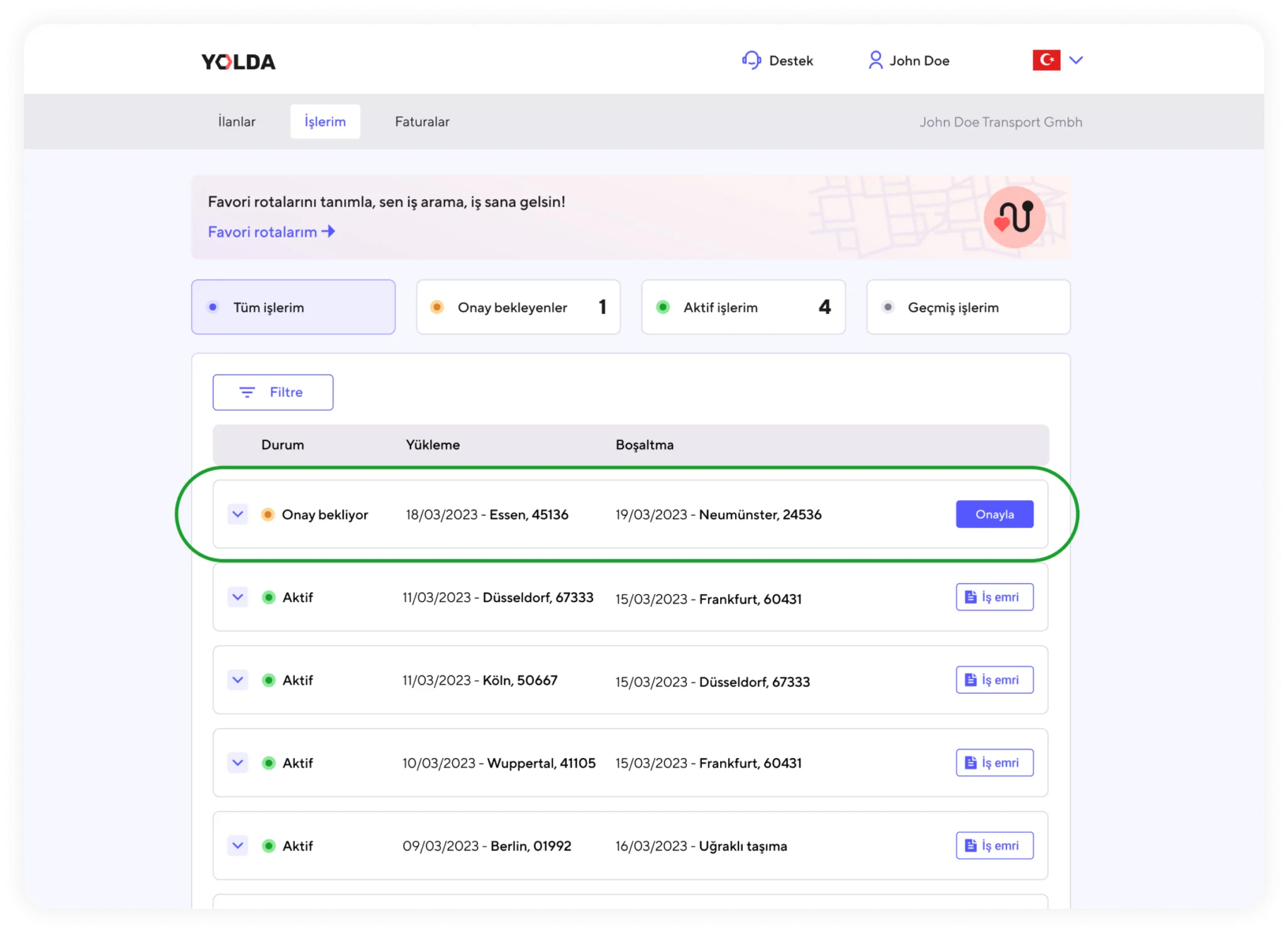
1. Under the ‘My Jobs’ tab, all jobs are listed as ‘Pending Approval’, ‘Active’, and ‘Past’. Jobs in ‘Pending Approval’ status are jobs waiting for approval.
2. By clicking the entire row, you can view the details of the jobs in ‘Pending Approval’ status.
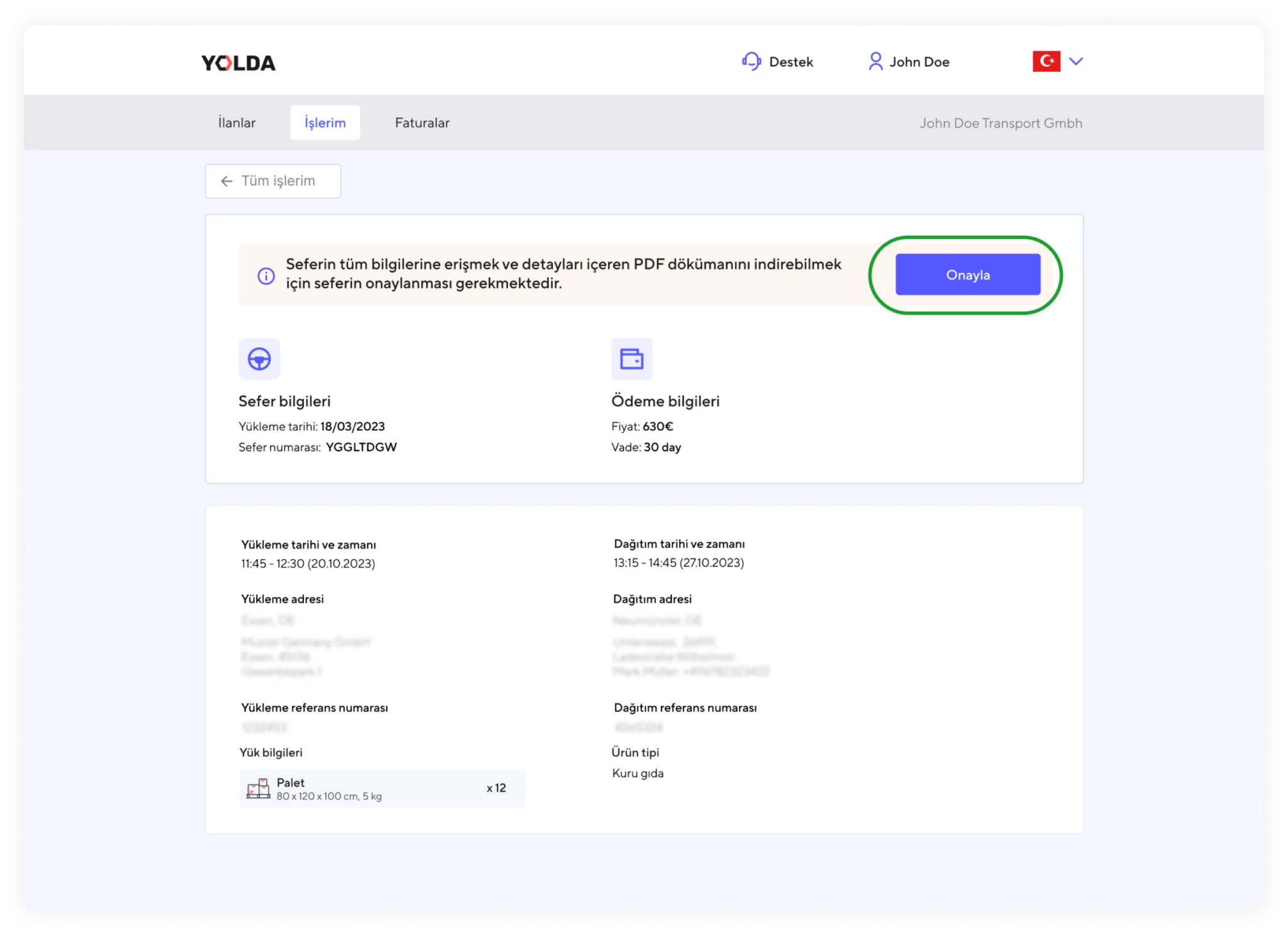
3. On the details page, you need to click the ‘Approve’ button at the top again to accept the work order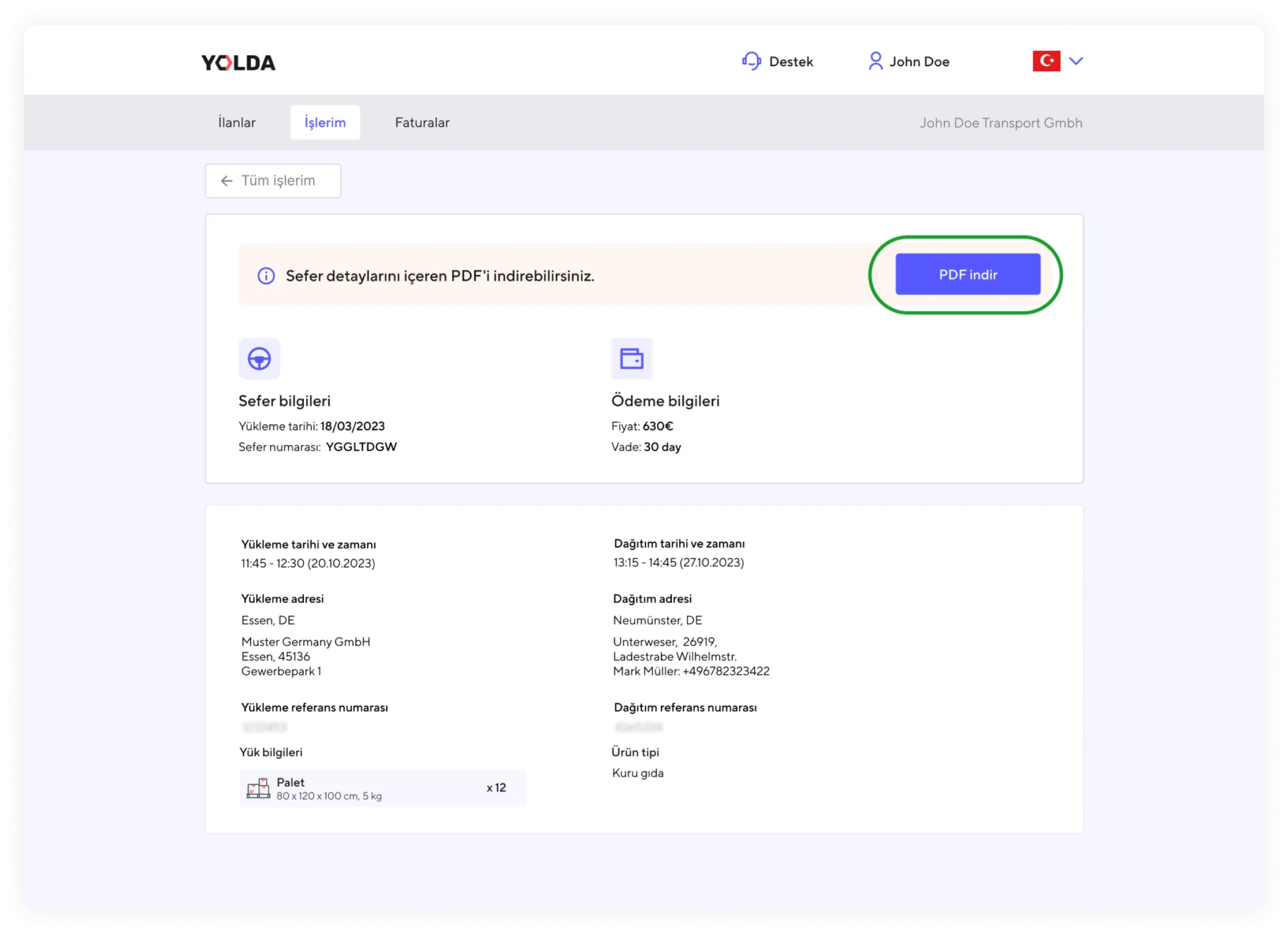
4. After approving the work order, you can download the work order and view other details related to the order.
5. Click the ‘Download PDF’ option to download the work order to your computer or phone.
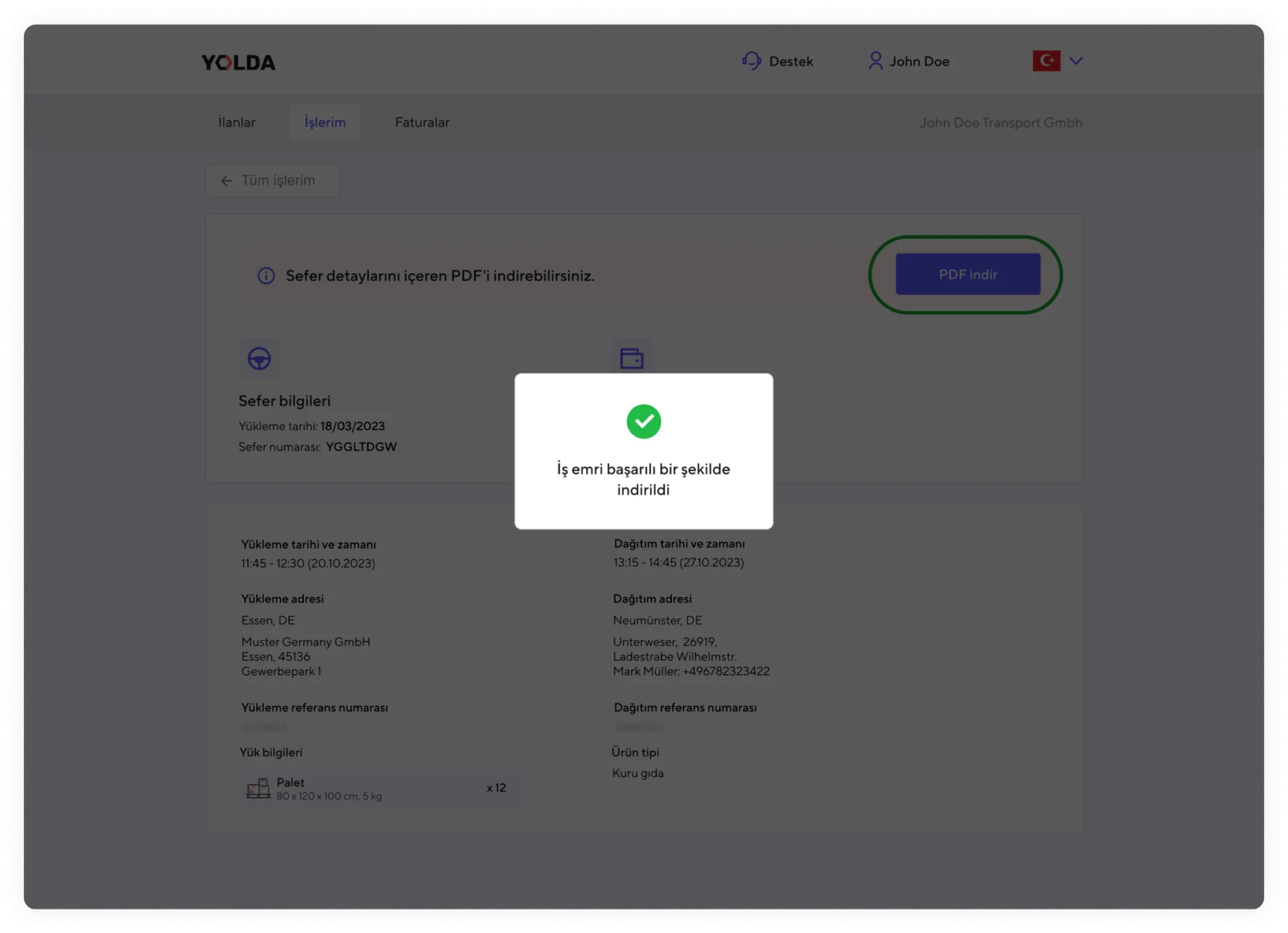
6. You now have an ‘Active’ work order assigned by Yolda. Your transport will now appear under the ‘Active’ section in the ‘My Jobs’ tab.
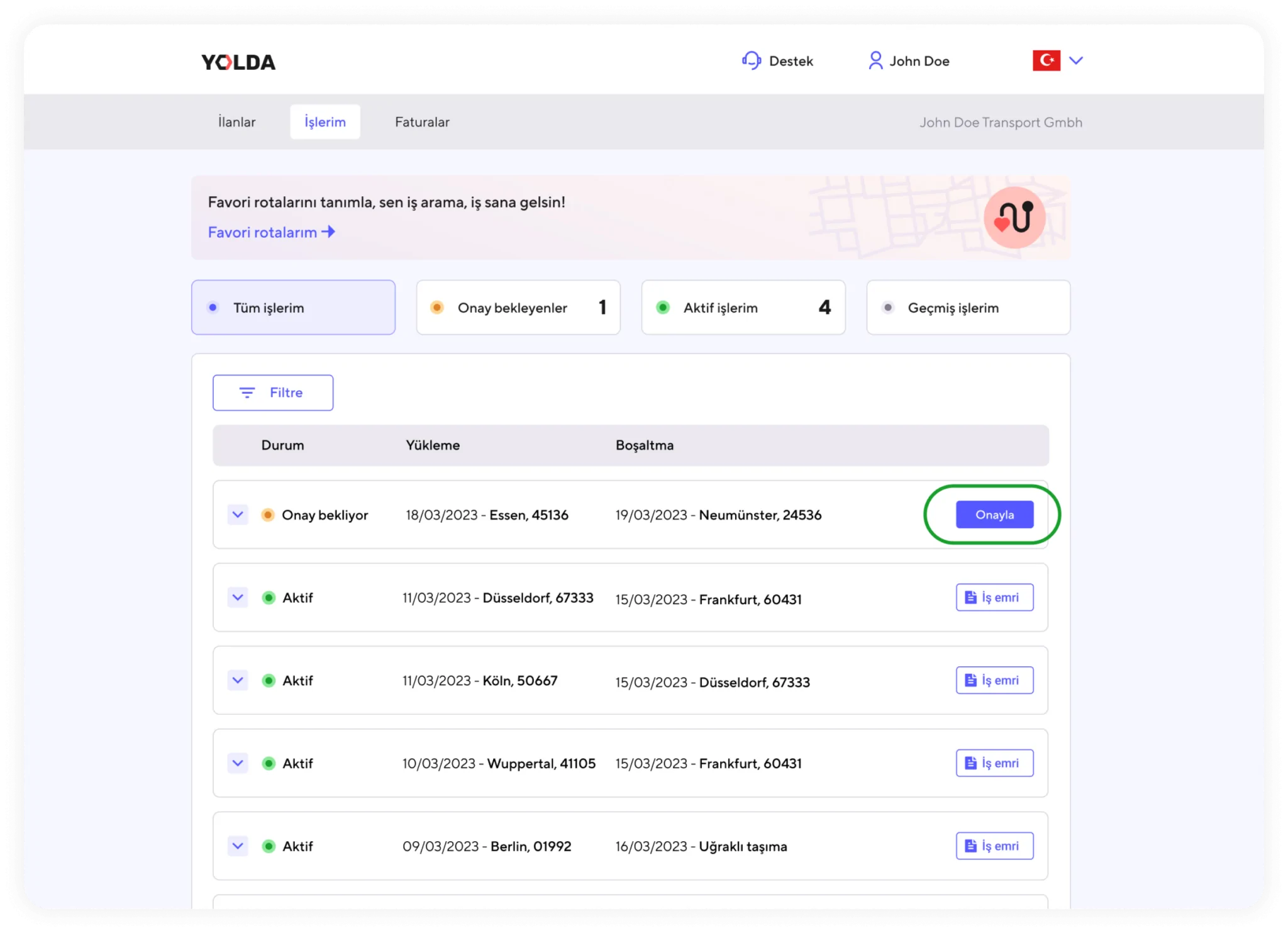
7. İş emrini hızlı bir şekilde onaylamak istiyorsanız ‘Onay bekliyor’ durumunda olan satırın sağında yer alan ‘Onayla’ butonuna tıklayabilirsiniz.