


Easily upload your invoices and receive your payments on time.

1. To view the services where you can upload your invoices for shipments and to upload invoices for those services, go to the ‘Invoices’ tab in the top menu.
2. You can select the listed services individually or in bulk, as you prefer.
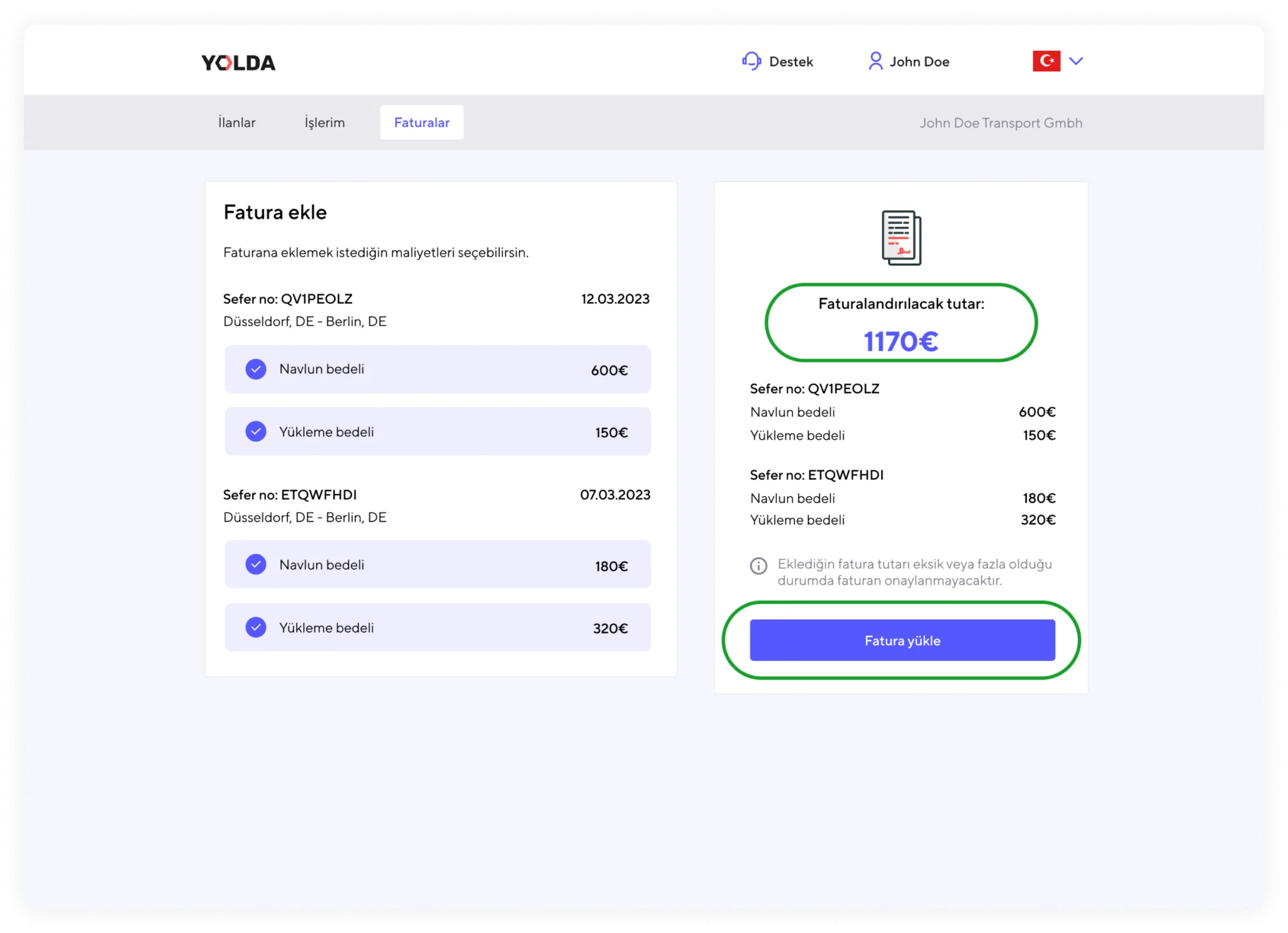
3. The amount for each selected service will be added to the total invoice amount you need to generate, displayed on the right side. The amount you upload on the invoice must match the amount shown under the ‘Amount to be Billed’ section. Otherwise, your invoice will not be accepted by Yolda.
4. Click the ‘Upload’ button to upload your invoice document in PDF format or as a clear and well-lit photo to the platform.
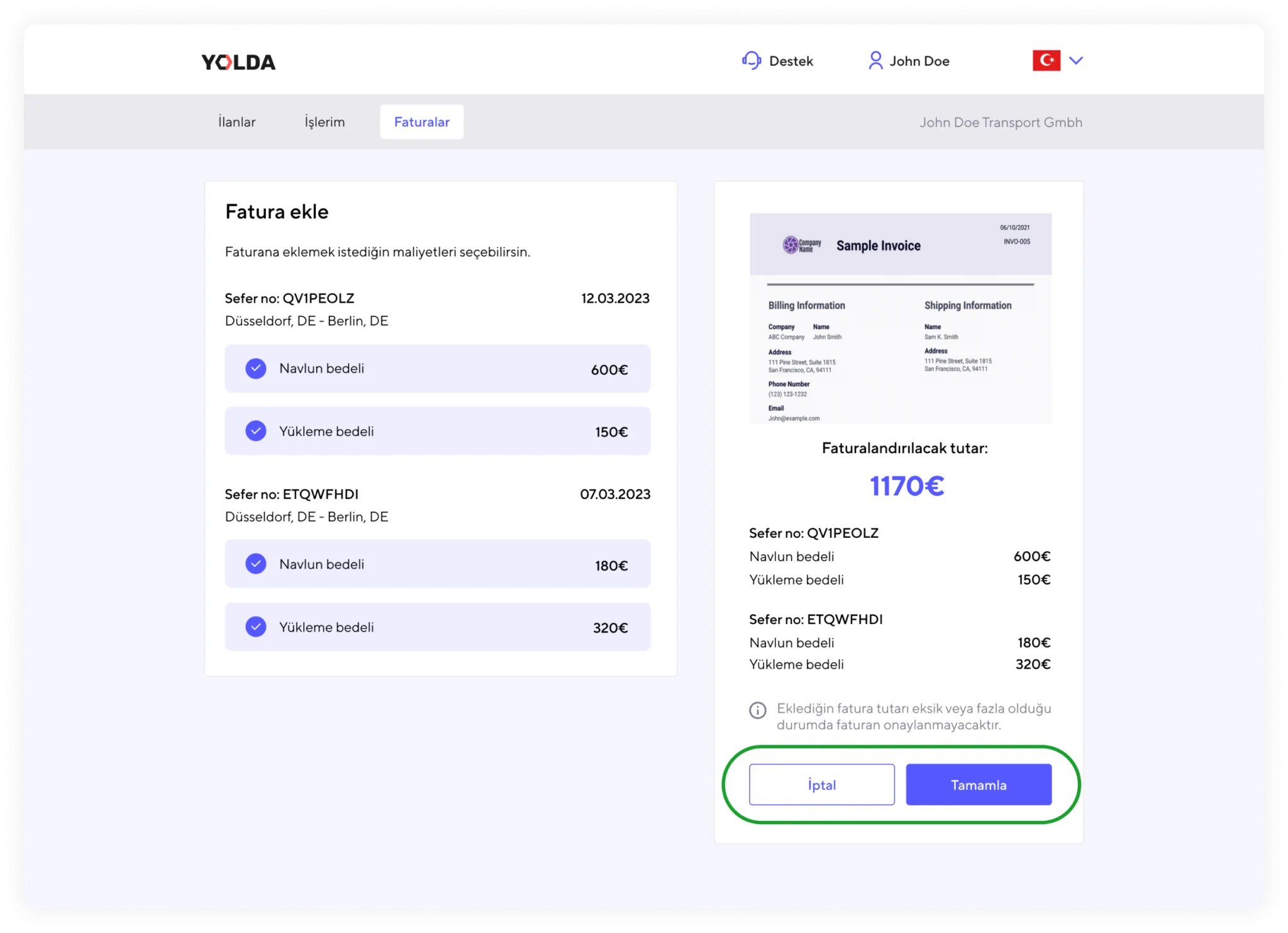
5. After uploading, you should double-check the invoice amounts and the attached invoice document. Finally, click the ‘Complete’ button to confirm.
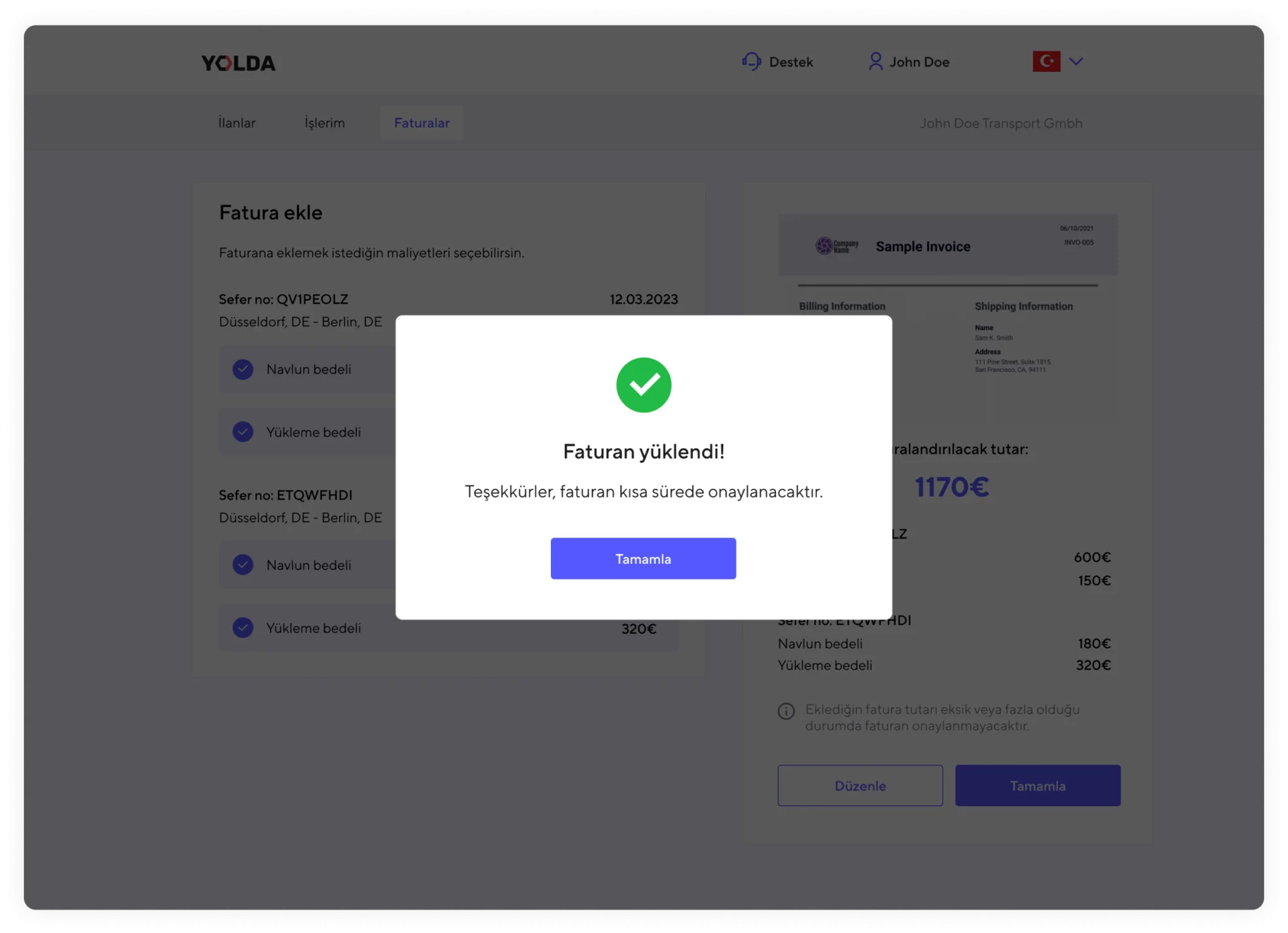
6. Your invoice has been successfully uploaded. It will be reviewed by the Yolda team as soon as possible, and your payment will be sent to you on time.