


How do you submit offers quickly and accurately for jobs?
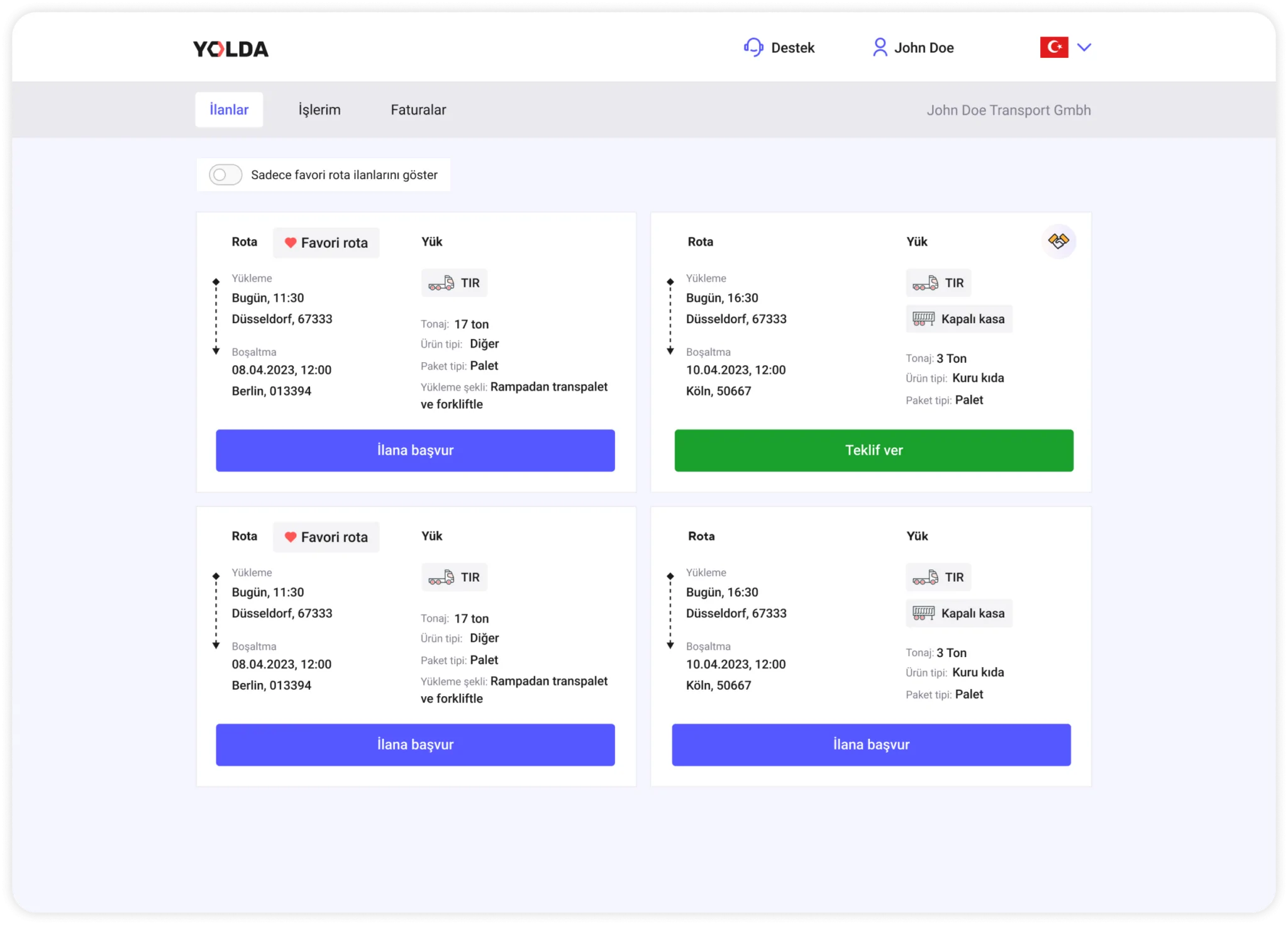
1. View the listings available for price offers under the ‘Listings‘ tab on the homepage. You will see the ‘Submit Offer‘ action for listings that are open for offers
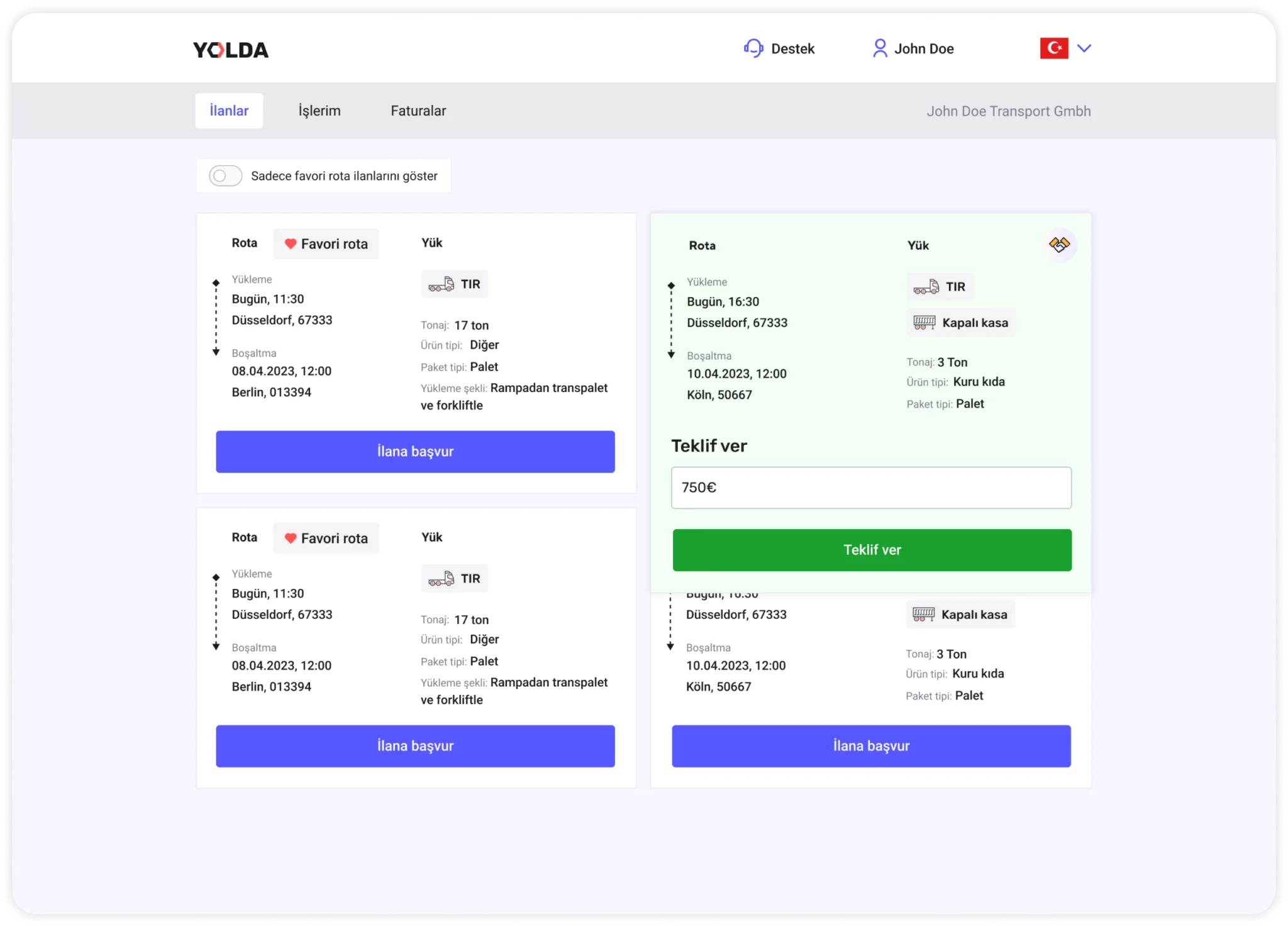
2. Click the ‘Submit Offer‘ button and enter the most suitable amount you have set for the job. Then, click ‘Submit Offer‘ again to share your price offer with the Yolda team.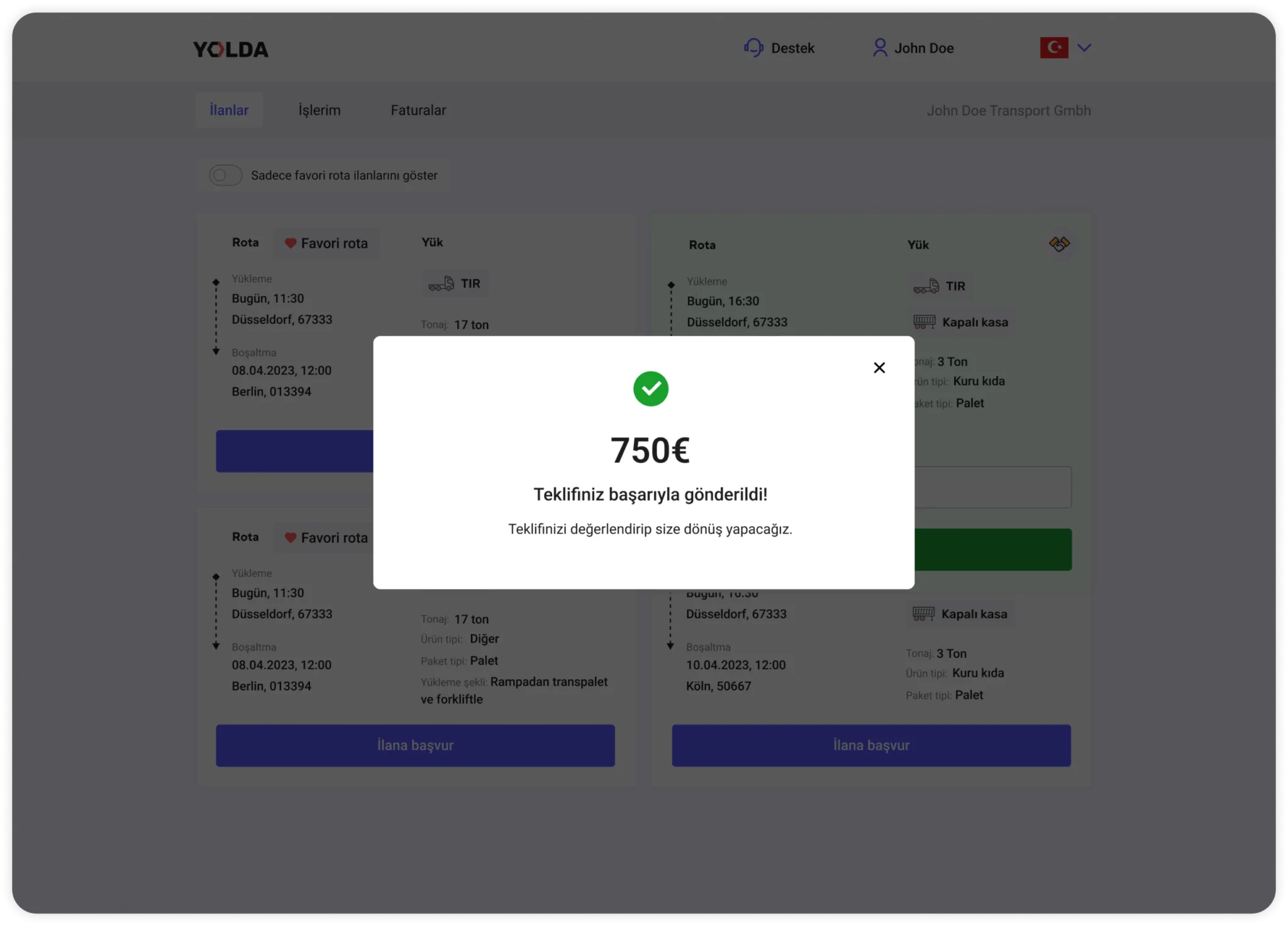
3. After your offer is submitted to the Yolda team, it will be reviewed shortly, and you will receive feedback.
Give the right price, get the job!
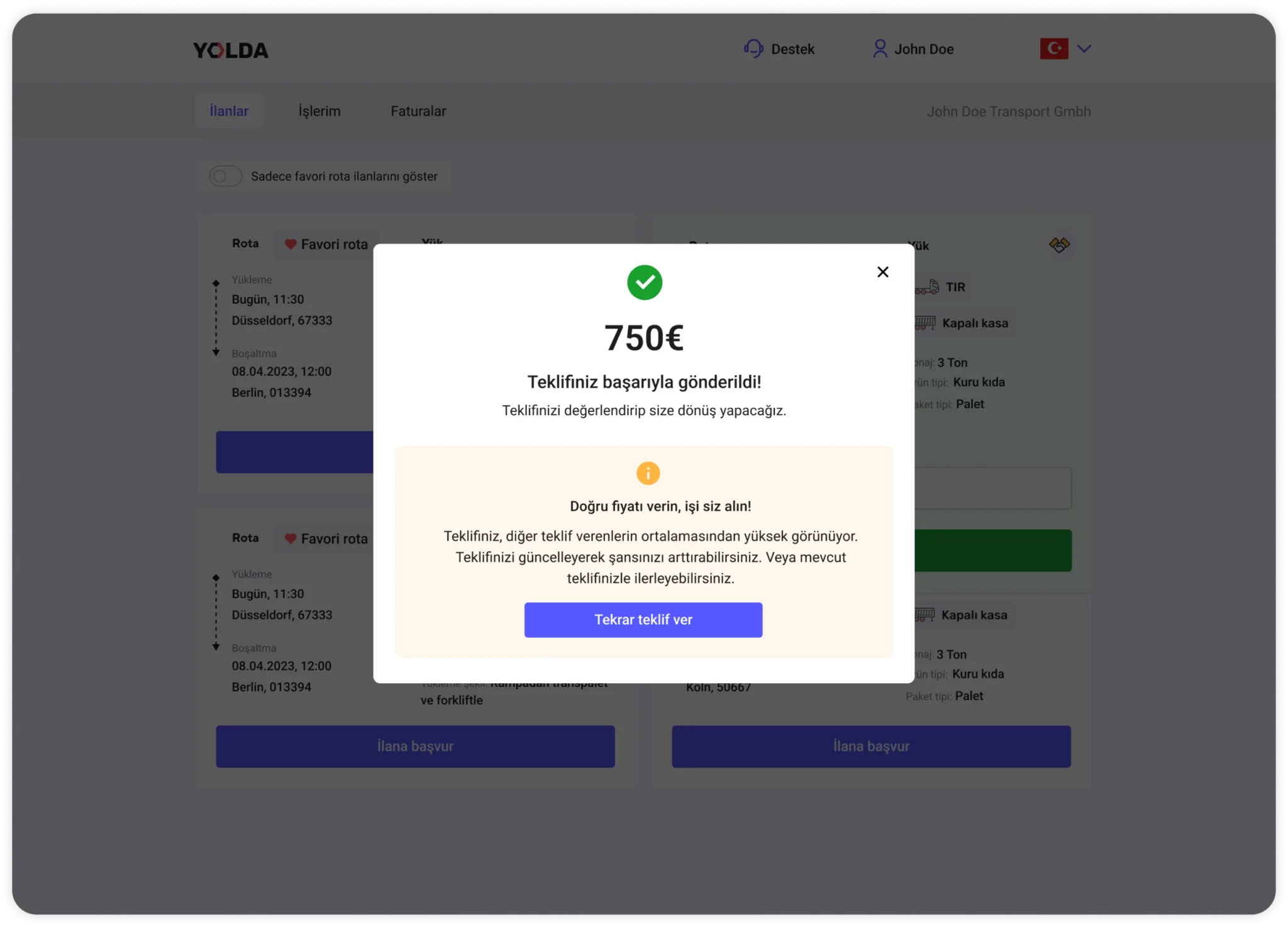
4. If your offer is higher than the average of other offers, the system may redirect you to the price revision step to provide the right price. This way, you can update your offer and increase your chances of getting the job.