


How to upload a delivery note?

1. To receive your payments on time after delivery, you need to upload your delivery notes from your active job list.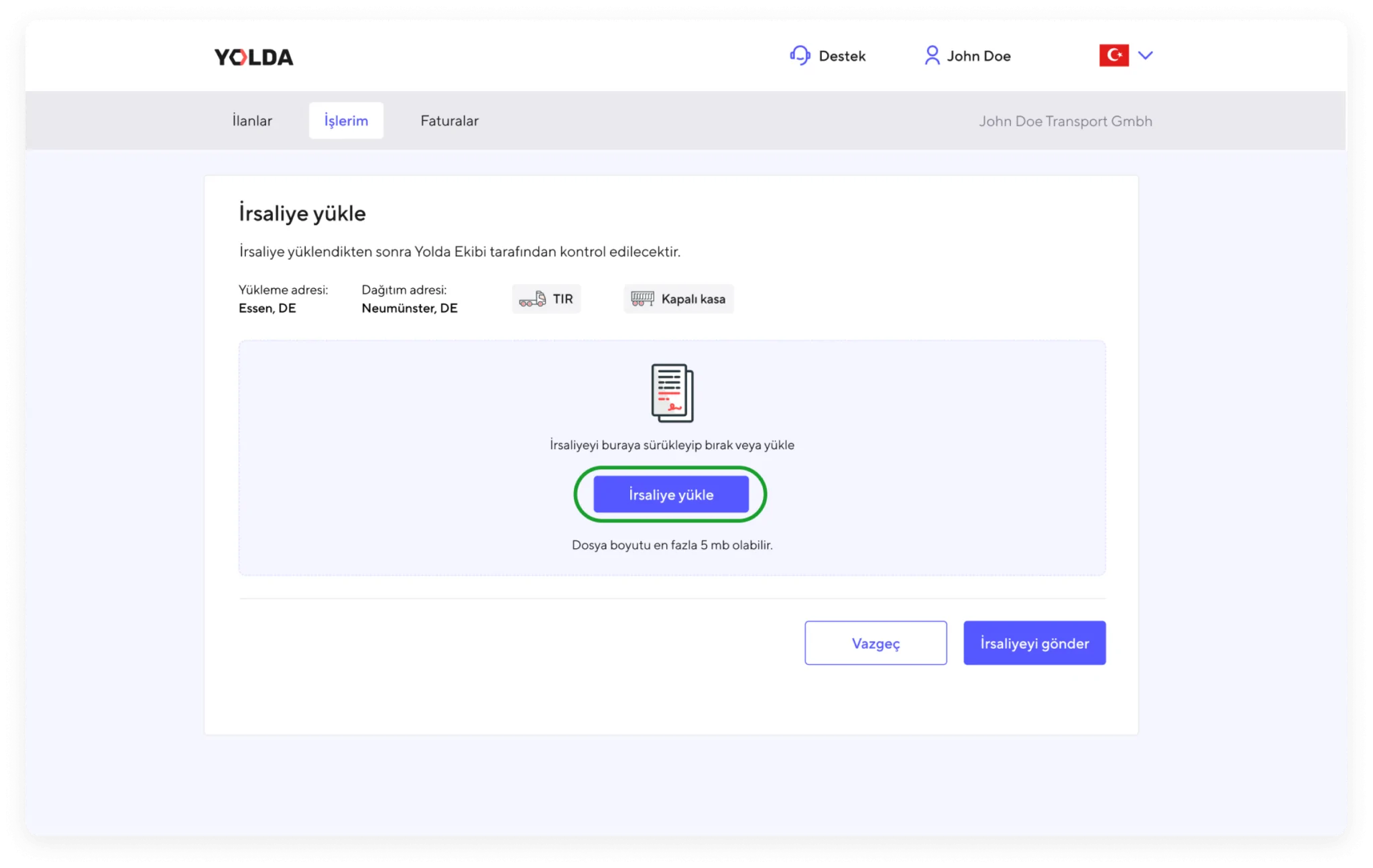
2. You can easily upload multiple documents using the ‘Upload Delivery Note’ button.
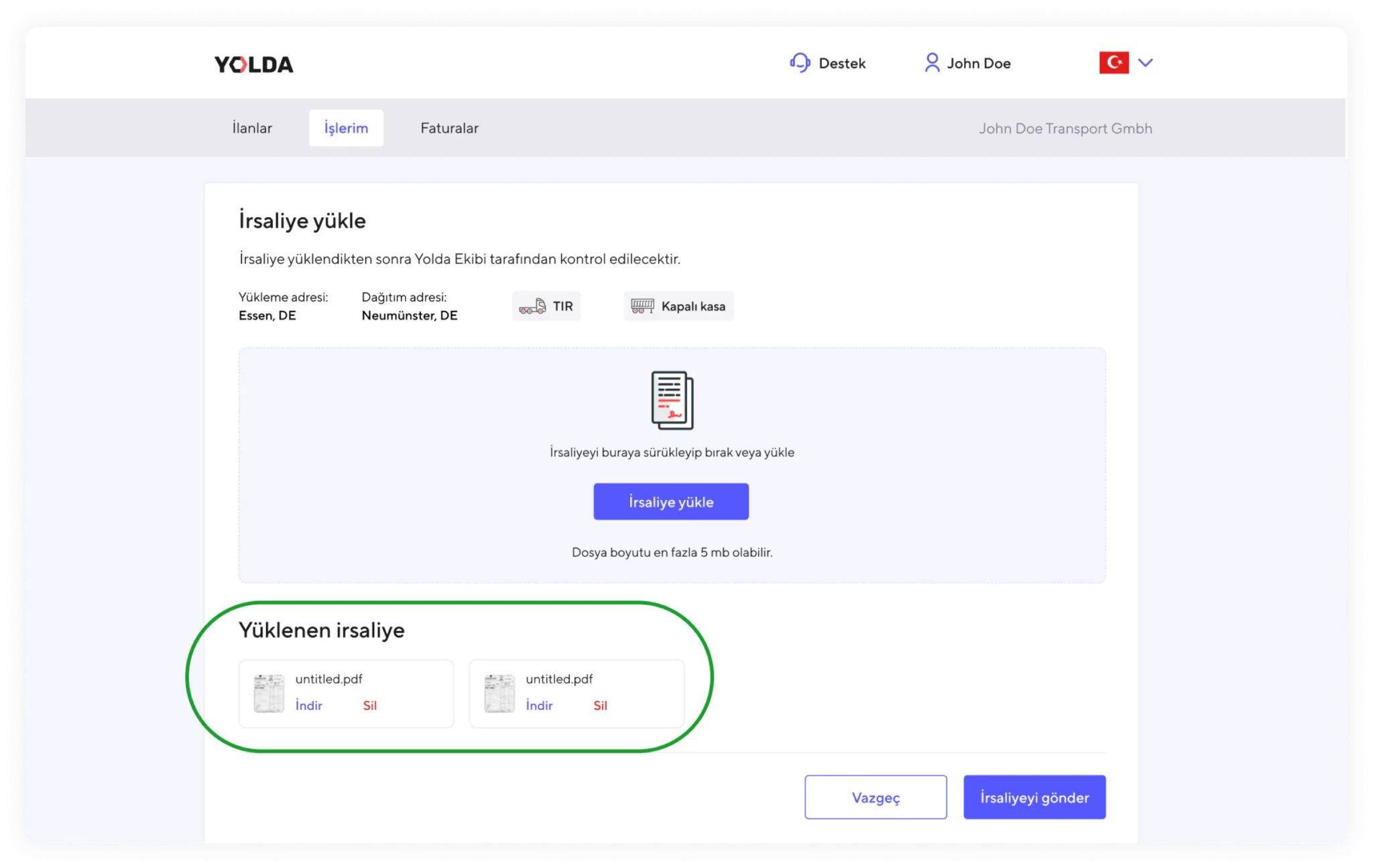
3. İrsaliyeleri yükledikten sonra işlemi tamamlamak için ‘İrsaliye gönder’e tıklayabilirsiniz.
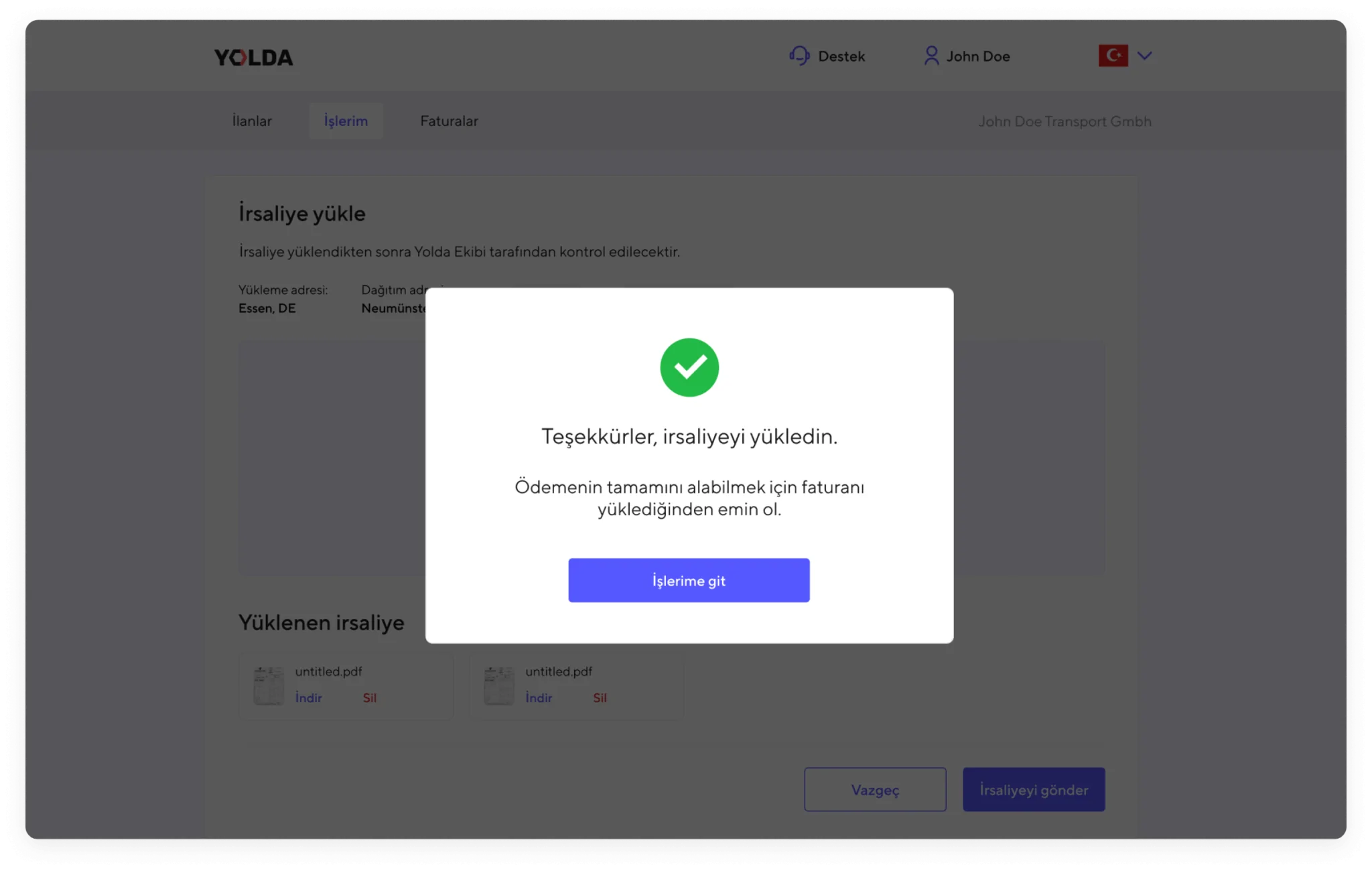
4. After uploading the delivery notes, click ‘Submit Delivery Note’ to complete the process.